Inspection enquiries
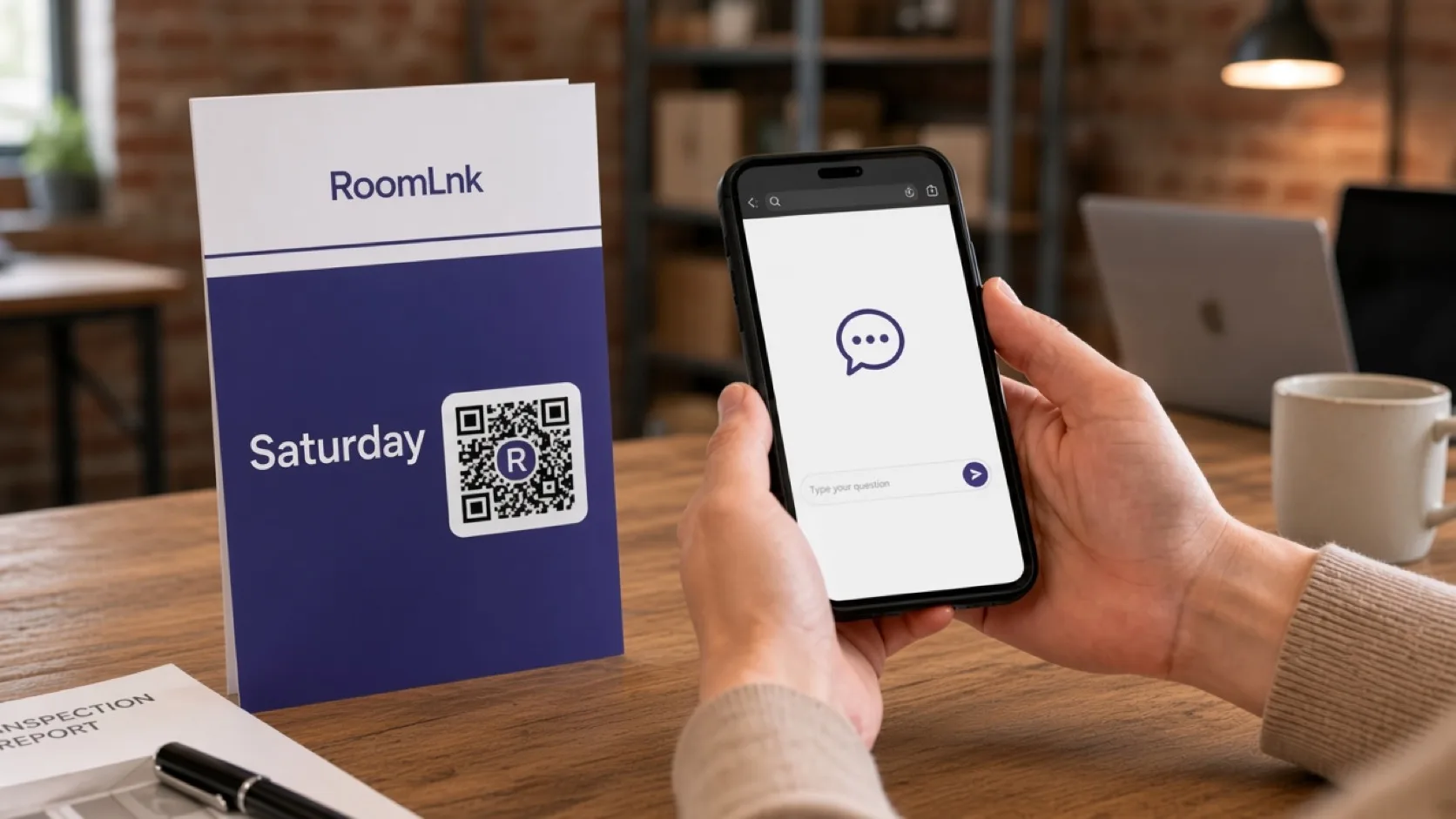
“Is the apartment open for inspection Saturday?” starts on that sign.

Real estate
A question about Saturday’s inspection should arrive already tied to that apartment.
Put a RoomLnk code on the sign, the brochure, the window card, or the inspection handout. The buyer joins in the browser. Offers and identity checks stay in the agency system.

At the listing
Inspection times, features, and follow-up are listing-specific. A personal text thread makes it easy to answer about the wrong property.
RoomLnk gives the listing its own room. Applications, identification, and formal offers still move into the agency’s secure process.
Listing conversations
Answer from the current listing. Do not present a tentative time as a confirmed inspection.
“Is the apartment open for inspection Saturday?” starts on that sign.
Use approved details for inclusions, dimensions, and conditions.
The chat can arrange the next step. The offer itself is recorded formally.
Buyers can show which sign they are standing at.
Keep the original question and show a translation.
The team assigned to that property replies.
This listing
The buyer scans and asks about Saturday. The agent replies, “Yes, from 10:30 to 11:00. I can send the details here.”
Personal applications and identification go to the agency’s secure process, not into an open chat.
How it works
Signs, brochures, window cards, and inspection sheets.
A private room opens in the browser.
The team knows which listing started the chat.
From the current schedule and approved property information.
Inspections, offers, and disclosures go into the agency system.
Remove it when the listing is no longer active.
Relevant RoomLnk features
One property, one room, for as long as that campaign is live.
Do not collect identity documents or treat a chat message as an offer or a contract.
Where to place the code
Name the listing
Use the listing reference. Do not put a buyer’s name in the room title.
Agency boundaries
Answer from the current listing and inspection schedule. Do not present a tentative time or feature as confirmed.
Move applications, identification, offers, and disclosures into the required real-estate system.
Questions and answers
Yes. The sign or brochure opens a room for that property.
No. They scan and join in the browser.
Yes, when it is on the current schedule. Tentative times should be described as tentative.
The room can arrange the next step. Formal offers and disclosures belong in the agency system.
Yes. Photos help confirm which board they are at.
No. Registrations, offers, and follow-up records stay in the agency system.
Create your RoomLnk